RGB USB Mic w/ Reverb & Lighting for Clear Streams
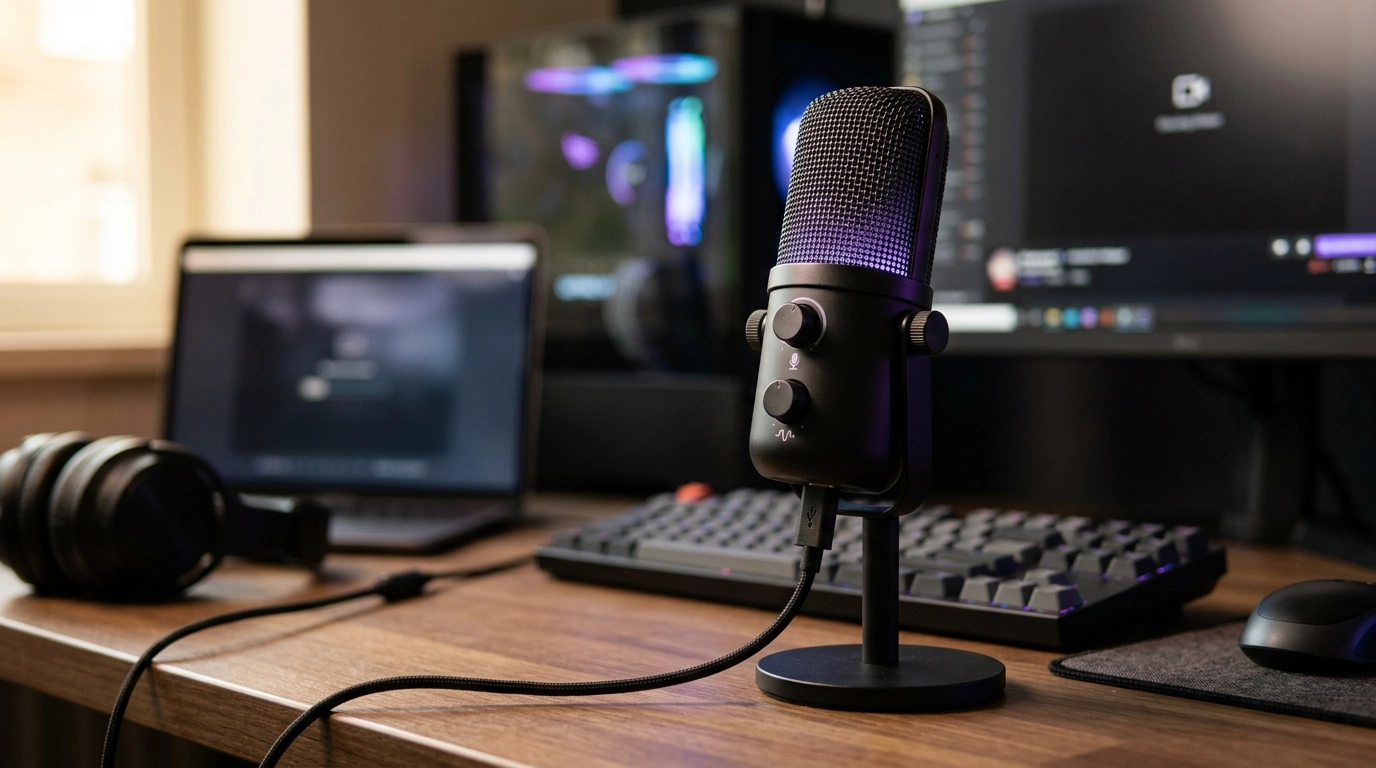
RGB USB Condenser Microphone with Reverb & Lighting: Clear Voice, Instant Atmosphere
A good USB condenser mic can make calls, streams, and recordings sound cleaner without a complicated setup. This RGB USB condenser microphone adds built-in reverb and lighting for a more immersive desk vibe, while staying plug-and-play for everyday use—no audio interface required for typical computer use.
What This Microphone Is Built For
Whether the goal is to sound more present on Discord, cleaner on Zoom, or more “finished” on a stream, a USB condenser microphone is designed to capture more detail than most laptop mics. This model leans into that convenience with onboard effects and RGB style.
- Plug-and-play recording for streaming, voice chat, podcasts, and basic music demos
- Condenser-style sensitivity that captures detail and presence in spoken voice
- Integrated reverb effect for a live, roomier sound when desired
- RGB lighting to match a gaming or creator desk setup
- USB connection for fast setup on compatible computers
For shoppers ready to upgrade quickly, the RGB USB Condenser Microphone with Reverb & Lighting is an easy step up from built-in mic audio, especially when used close to the mouth and set up to avoid room echo.
Key Features That Matter Day to Day
Specs are helpful, but daily performance comes down to how fast a mic fits into a routine and how easily it can be tuned for different situations—meetings, late-night gaming, or casual recording.
- USB connectivity for quick connection without an audio interface
- Reverb control for adding subtle ambiance or a more dramatic vocal effect
- RGB lighting modes that provide visual feedback and style
- Condenser pickup that helps voice sound fuller compared with many built-in laptop mics
- Ideal for close-mic use: positioning the mic 6–10 inches from the mouth typically improves clarity
Quick Spec Checklist (What to Confirm Before Buying)
| Item to check | Why it matters | Practical tip |
|---|---|---|
| USB compatibility | Ensures it works with the computer or device being used | Confirm operating system support and available USB port type |
| Monitoring option | Reduces delay when listening to your own voice | If using headphones, check for a headphone jack or software monitoring |
| Reverb control | Changes the sound character for streaming or performance | Use light reverb for speech; heavier settings for fun effects |
| RGB lighting modes | Affects the look on camera and at the desk | Match brightness to camera exposure to avoid glare |
| Mount/stand setup | Stability and placement improve sound quality | A boom arm helps keep the mic close without desk vibrations |
How Reverb Changes Voice on Streams and Calls
Reverb is essentially “space” added to a voice. A touch of it can make vocals feel warmer and less dry, especially for intros, storytelling, or casual streams. But for fast speech—team callouts, meetings, or competitive chat—too much can blur consonants and reduce intelligibility.
- Reverb adds a sense of space, which can make vocals feel less “dry”
- Too much reverb can reduce intelligibility for fast speech or team chat
- For meetings and competitive gaming, keep reverb minimal or off for maximum clarity
- For casual streaming, intros, or karaoke-style moments, moderate reverb can be a fun enhancement
- Test levels with a short recording before going live to avoid muddy sound
If mic technique is new, the placement basics covered by Shure’s microphone technique guidance can help make effects like reverb sound intentional instead of messy.
Lighting Tips for Camera and Desk Aesthetics
RGB lighting can do more than look cool—it can help tie a scene together and give viewers an immediate sense of mood. The trick is making it camera-friendly: bright enough to pop, not so bright that it blooms or distracts.
- RGB lighting can serve as a visual accent in frame, especially for face-cam streams
- Avoid placing bright lighting directly behind the mic grille to prevent harsh reflections
- Match mic lighting color to the rest of the setup (keyboard, PC case, ambient LEDs)
- Lower brightness when filming to reduce flicker or overexposure
- Keep lighting consistent across scenes to maintain a cohesive look
For a small, low-cost way to extend the same vibe beyond the mic, the Black Cat Reflective Laser Phone Case for iPhone can add a reflective accent that pairs naturally with RGB desk setups.
Setup for Better Sound in Minutes
To get levels right, it helps to understand how input meters behave and why clipping is permanent once recorded. The Audacity recording guide offers a practical overview of recording levels that applies even if a different app is used.
If the room is noisy (fans, keyboard, street noise), software noise removal can help when used lightly. Tools like NVIDIA Broadcast noise removal show the general idea: reduce constant noise without making the voice sound watery or overly compressed.
Best Use Cases
RGB USB Condenser Microphone with Reverb & Lighting: At-a-Glance
To check current availability and purchase details, visit the RGB USB Condenser Microphone with Reverb & Lighting product page.
FAQ
Does a USB condenser microphone work without an audio interface?
Yes. USB microphones typically include a built-in audio interface (analog-to-digital converter), so they connect directly to a compatible computer via USB. It’s still important to confirm operating system support and that an appropriate USB port is available.
Should reverb be used for voice chat and meetings?
For voice chat and meetings, reverb is best left off or set extremely low to keep speech crisp and easy to understand. Moderate reverb is more suited to streams, intros, or creative moments where style matters more than maximum clarity.
How can background noise be reduced with a condenser microphone?
Place the mic closer to your mouth and lower the input gain so the mic isn’t turned up to “hear” the whole room. Reduce noise at the source (fans, keyboards), add soft furnishings to tame reflections, and use software noise suppression carefully to avoid artifacts.













Leave a comment